
Get a Daily Reminder of Every Task Still Waiting
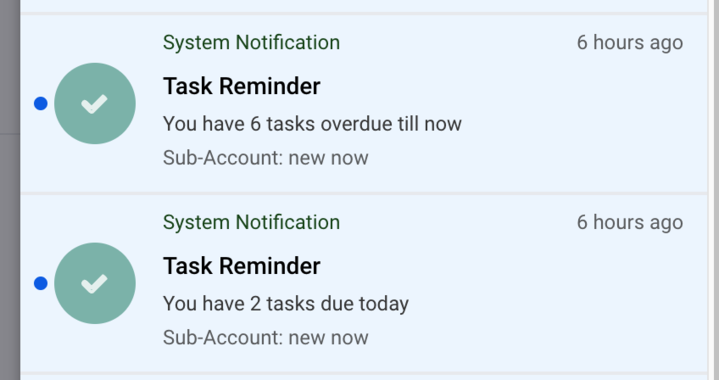
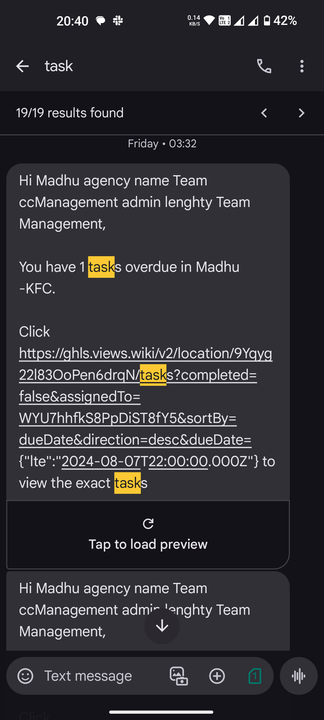
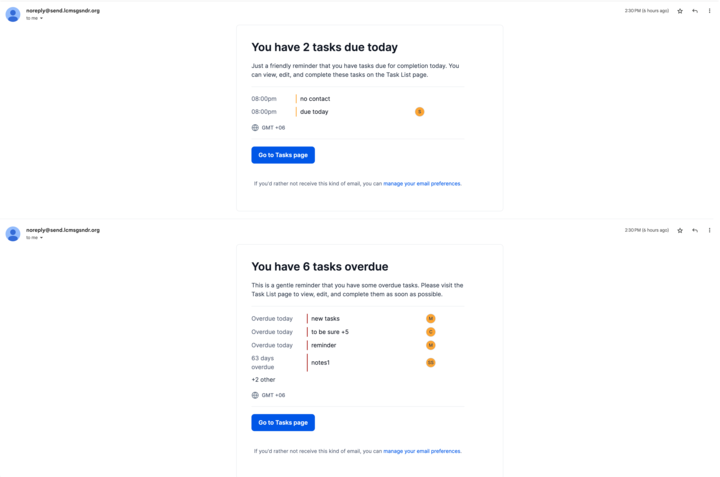
Ignite Funnels can send you a daily summary of every task that is still pending or already overdue, at a time you choose. The reminder reaches you by push notification, SMS or email, so work does not sit forgotten inside the CRM. You can also set an alert on a single task hours or days before it falls due.
What will the daily summary tell me?
The summary covers two things: tasks that are still open and tasks that have passed their due date. It goes out once a day at the time you pick, so you begin the day knowing exactly what is outstanding. Alerts on an individual task are separate and fire ahead of that task's due date.
- Pending tasks that nobody has completed yet
- Overdue tasks that are past their due date
- Advance alerts on a single task, set hours or days before it is due
How do I turn the reminders on?
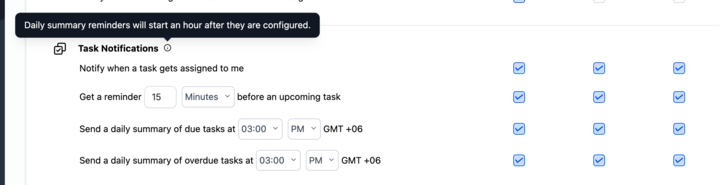
Daily summary reminders are switched on in your own profile settings rather than in a workflow, so every person on your team sets their own reminder time. The setting takes about an hour to sync across the notification channels, so the first reminder will not arrive immediately after you save.
- Open Settings from inside your sub-account.
- Go to My Profile, then Notifications.
- Find the Task Notifications section and enable daily summary reminders.
- Choose the time of day you want the summary to arrive.
- Save your preferences.
Which channels can the reminder come through?
Reminders are delivered by push notification, SMS and email. Each channel carries the same summary, so you can rely on whichever one you actually check during the day. Sales teams that live on their phones usually keep push and SMS on, while office-based staff often prefer email alone.

Can I set a reminder for one important task?
Yes. On any individual task you can set an alert to fire a set number of hours or days before the due date. This is useful for commitments that would be costly to miss, such as a callback you promised a customer or a document that must go out before a deadline.
Where to find it: Settings, then My Profile, then Notifications, under Task Notifications.
This update was originally released in August 2024. Menu locations may have changed since.




